API Test Cases
DevAssure offers robust support for comprehensive API testing, utilizing standardized methods and protocols to ensure seamless access to resources and thorough validation of their functionality.
Beyond core API testing, DevAssure goes a step further. While creating web test cases, you can effortlessly integrate API calls into your testing workflows. This combined approach ensures that both the user interface (UI) and the underlying APIs work together flawlessly, leading to a more holistic testing experience.
This guide walks you through creating and automating API test cases within the DevAssure app.
Requirements
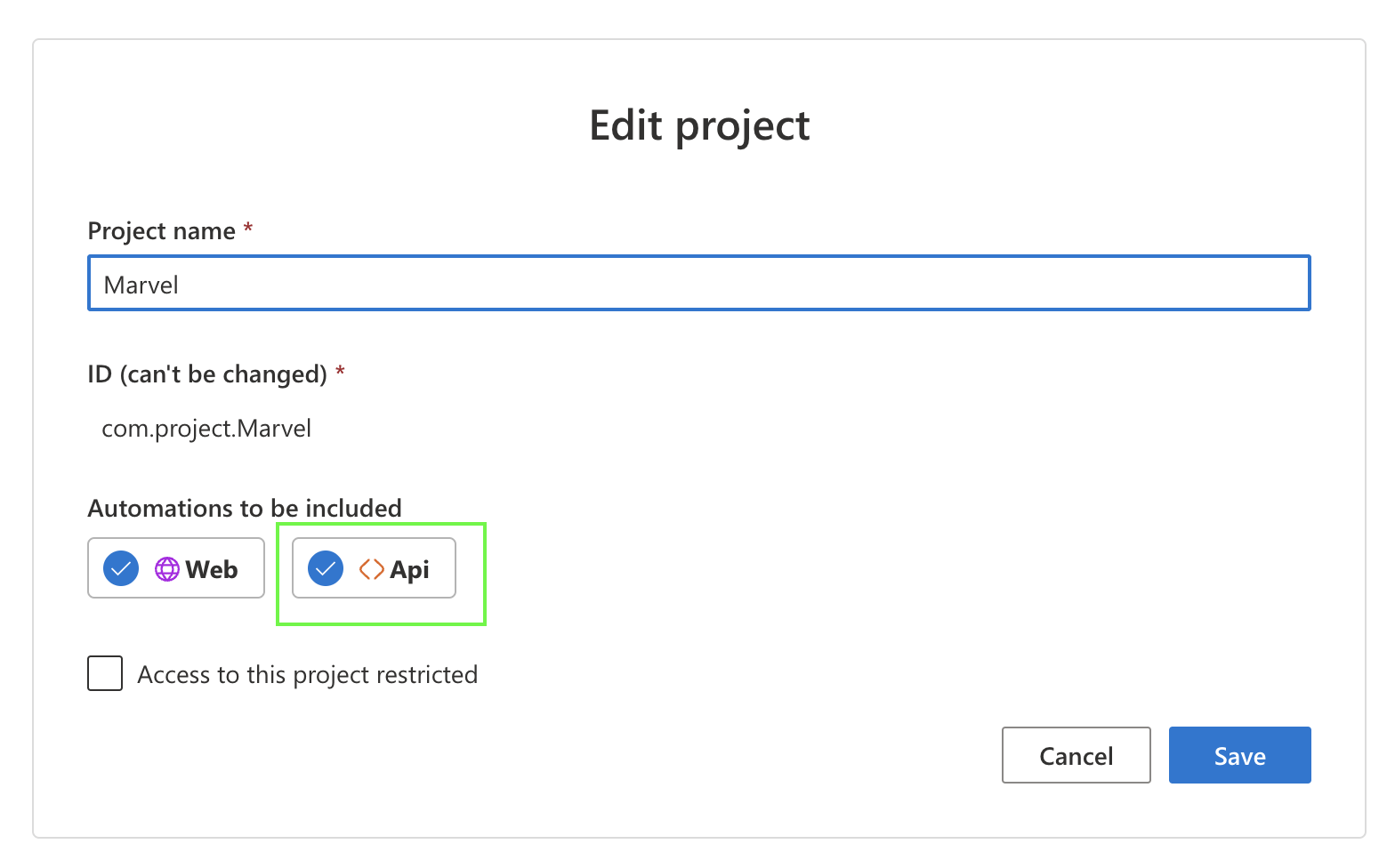
- You must have created and initialized an API Project.
Create API Request
Before creating an API test case, it's crucial to construct a well-defined API request. This request will be used later within the test case.
To create an API request, you need the URL, method, and optional values such as parameters, body, headers, and authorization. Each API operation is typically associated with an endpoint.
-
Navigate to the “APIs” tab. This section allows you to manage and test all your APIs.
-
Click on Add new icon that appears on hover over the APIs in explorer. Select New API and enter API name.
-
In the Name field, enter a descriptive name for your API test and In the Summary field, provide a brief description of what the API test is designed to achieve.
-
Configure the API Request:
- Request Method: DevAssure supports various HTTP request methods like GET, POST, PUT, and DELETE.Select the appropriate method based on the API.
- API Endpoint: Enter the URL of the API endpoint to be tested.
-
Configure Request parameters:
- You can configure different parts of the API request including query parameters, headers, body and authorisation.
- Query Params: Query parameters are key-value pairs that are appended to the URL of the API request.
- Headers: Headers are key-value pairs that provide additional information about the request.
- Body: The body of the request contains the data to send to the API. The format of the body data will depend on the API you’re testing.
- Authorization: DevAssure allows you to specify the authorization type required by the API. Basic Auth/ Bearer Auth/ Saved Auth
- You can configure different parts of the API request including query parameters, headers, body and authorisation.
-
Once the API request is configured, click on the Test button.
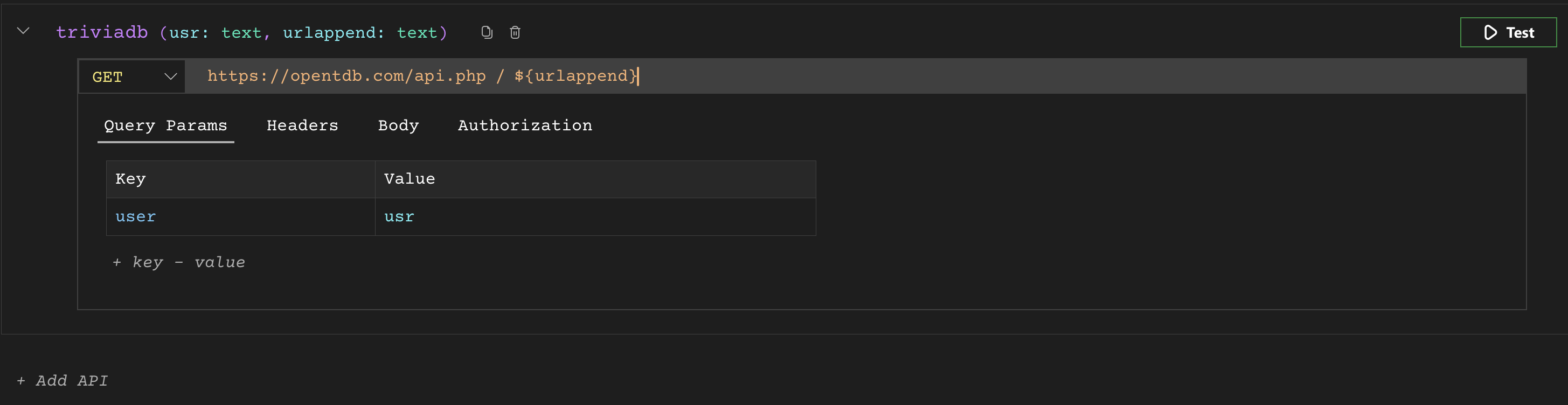
DevAssure will send the request to the API and display the response. The response will include the status code, headers, and body of the response. You can then assert the results of the API test to verify if the API is functioning as expected.
Managing API Authorization
Saved Authorization credentials can be created within DevAssure to be used for API authorization. Saved Authorization allows you to securely store reusable credentials for various API interactions.
To create reusable saved authorization credentials:
- In the Authorisation tab in the APIs section , Click on Add new icon that appears on hover over the Authorization in explorer.Select New Authorization and enter Authorization name.
- Select the appropriate authorization type required by the API you want to access.
The two choices are:
- Basic Auth: This type involves providing a username and password for API authentication.
- Bearer Token: This type uses a pre-generated token for API access.
These values can be entered manually or the value from secrets and constants can be used.
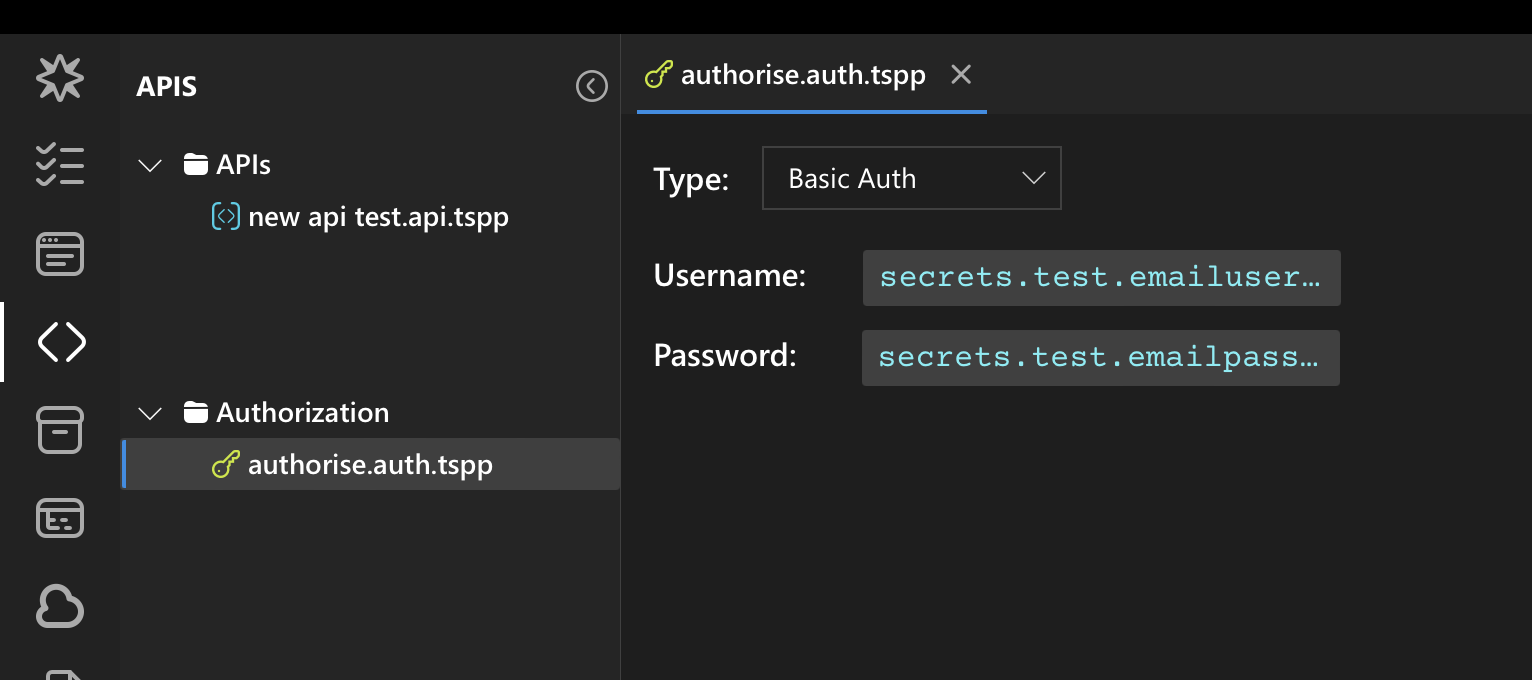
Once you have created Saved Authorization credentials, you can reference them within your API request. This eliminates the need to repeatedly specify the credentials for each API request.
Create a API Testcase
You can quickly create a new api test case in the following ways:
-
Home page:
- Select New API Test Case from the App homescreen.
- Enter web test case name and click Create.
-
Explorer:
- Select Test Cases from the side navigation.
- Click on Add new icon that appears on hover over the project title in explorer.
- Select New API Test Case and enter web test case name.
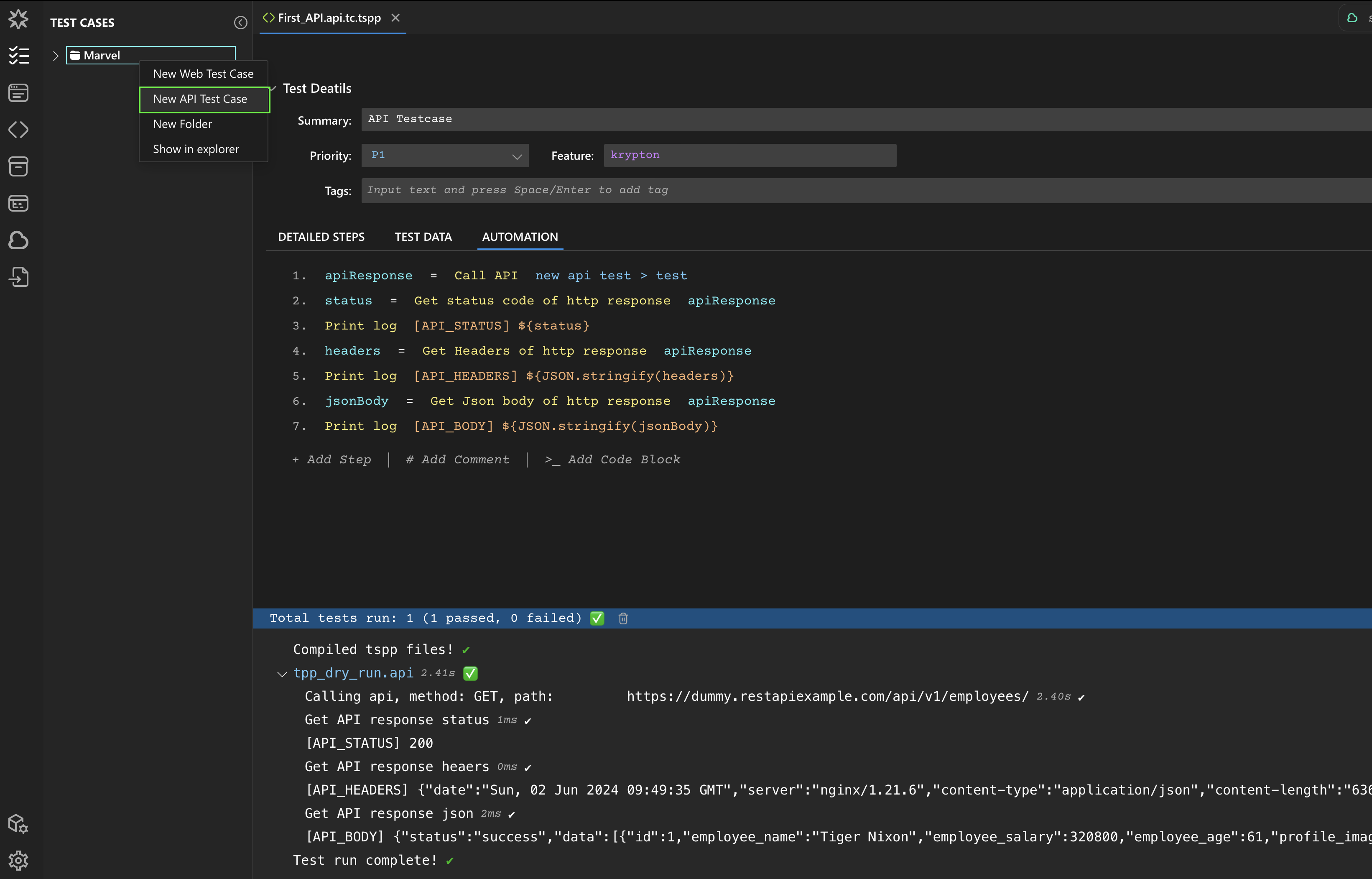
Once the testcase is created, in the automation tab the respective API actions can be invoked on the API request to proceed with the test automation.
Example
Below is a screenshot of an API test case designed to send a GET request to the specified endpoint, retrieve the response, and log the status code, headers, and body of the response using respective API test actions along with the test run results.
Integration with Web Test Cases
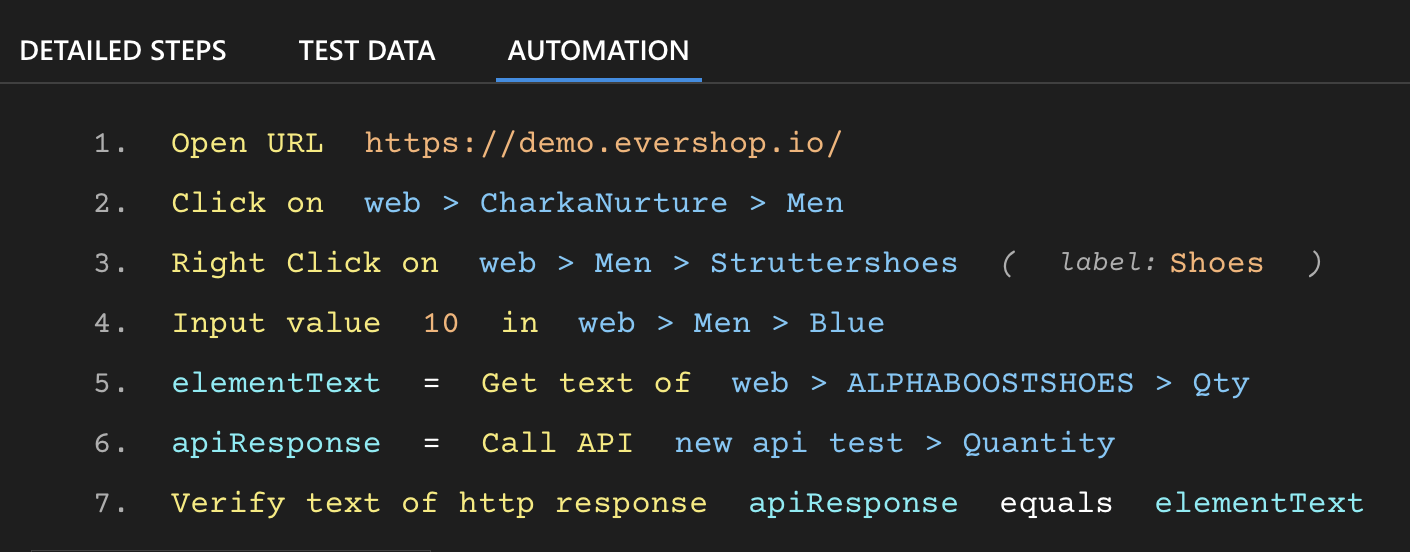
While this above example showcases a standalone API test case, DevAssure's leverages integrating API calls into web test cases.
You can seamlessly include API calls as test steps within web testcases, combininig UI and API testing in a single workflow, ensuring both layers of the application are tested together.