Constants
DevAssure allows you to define constants with values that vary depending on the test environment.
This enables you to write reusable test cases that can execute seamlessly across different environments (e.g., Development, Staging, Production) without modifying the core test logic.
Add or Edit Constants
-
Navigate to the Environments section in the sidebar, click on Constants.
-
Click on Add new icon that appears on hover over the constants in explorer.
-
Select New Constants and enter a file name for constants.
-
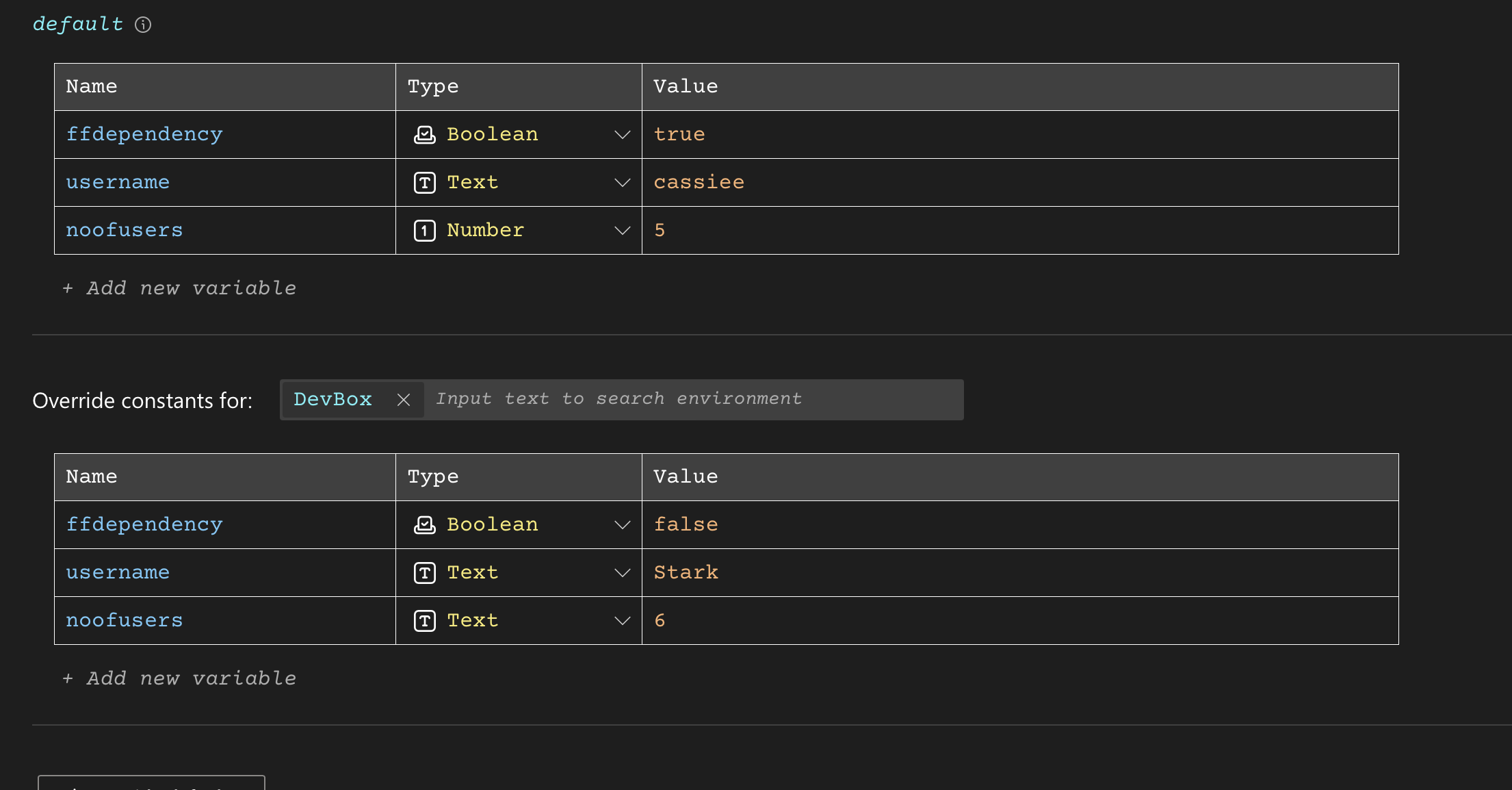
Under Default section , Click the button labeled "Add new variable" to create a new constant.
- Name: Provide a clear and descriptive name for the constant (e.g., "USERNAME").
- Type: Specify the data type of the constant (e.g., Text, Url, Number, Boolean).
- Value: Enter the value for the constant. This might be a URL, username, password, or any other data relevant to this environment.
-
Override Constants : This indicates that you're defining constants specific to an environment, overriding any global defaults that might exist.
Using Constants in Test Cases
Once constants are defined, they can be refered in test cases using the appropriate actions.
When using constants, the populated values have a double prefix. The first prefix is "constants." followed by the filename. The second prefix is the name of the constant.
Example:
Imagine you have a constant named "username" defined in your "DevBox" environment in the DAconstants file.
In your test case, you can reference this constant, instead of directly hardcoding the value:
Input value constants.DAconstants.username in web > DevAssure > userEmail
value = Get constant value constants.DAconstants.noofusers
Verify boolean constants.DAconstants.ffdependency is equal to true