Vibe Testing

🧑💻 Vibe Coding + 🧪 Vibe Testing: Why Fast Code Still Needs Fresh Eyes
AI coding tools have dramatically changed how fast we can build software. UI refactors that used to take hours now take minutes. Boilerplate code is generated instantly.Documentation appears automatically.
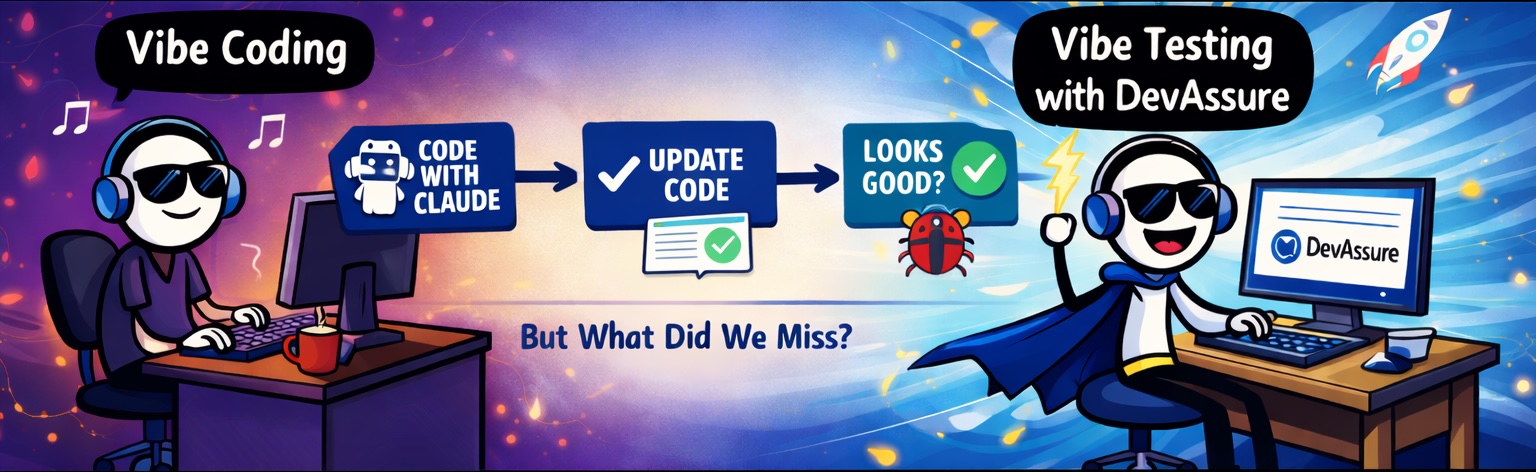
But recently I had an experience that reminded me of something important:
Speeding up coding doesn’t automatically speed up quality assurance. And that’s where Vibe Testing comes in.
The Setup
Last week I was updating the Sign Up page for one of our applications.
The goal was simple: • Refresh the UI • Keep the same functionality • Use our design system
I used Claude Code to generate the updated React components.
The Prompt I Gave Claude
I wrote a fairly detailed prompt so that the generated code would match our design system.
Refactor the following React Sign Up page.
1. Use Fluent UI React components where possible
2. Maintain the existing functionality and validation rules
3. Client side validation of work email should be retained - use the existing api and validation code.
4. Password must:
   - be at least 8 characters
   - contain uppercase, lowercase, number, special character
5. Use theme colors from our design system: theme.palette.themePrimary for borders, button styles, links etc.
6. Keep the code clean, modular and well documented
Within seconds Claude generated a refactored version of the page.
Claude’s Output
Claude updated the existing compoenents, created new components, reused existing hooks and utils.
Claude also added helpful documentation:
/**
 * Validates the signup form fields.
 * Ensures email and password requirements are met.
 */
From the initial review, the UI looked great. Validation logic looked correct. The code was cleaner than the original. At this point everything looked production ready.
Initial Manual Testing
I ran through the usual checks: • Enter invalid email → validation shown ✅ • Enter short password → validation shown ✅ • Enter valid details → form submits ✅
Everything appeared to work. If I had stopped there, this change would have shipped.
DevAssure
Then I Ran DevAssure Sanity Tests. This is where things got interesting. When I executed the DevAssure Agent, it explored the page automatically. And it found multiple issues that I hadn’t tested manually.
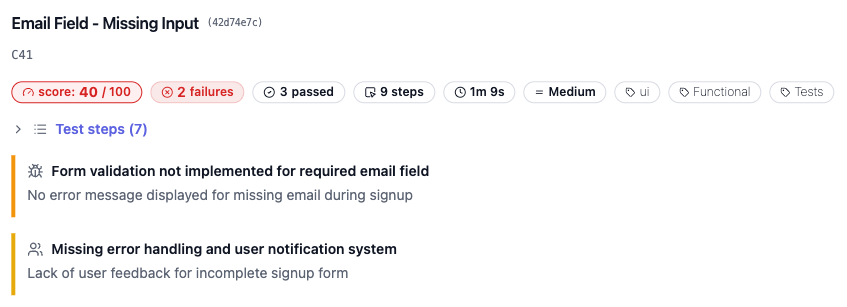
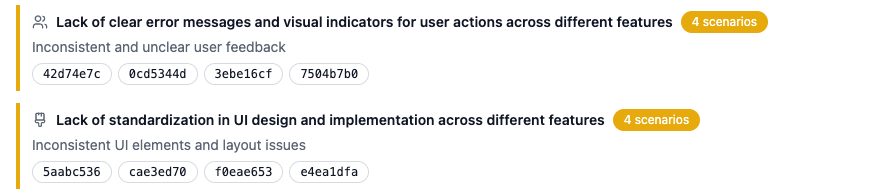
Samples:
🐞 — Missing validation feedback
If a user clicked the Sign Up button immediately on a clean form, The password validation failed internally, but no message appeared in the UI.
🐞 — Missing validation feedback for email
Emails personal emails like: [email protected] - the email was rejected but there was no error message shown in the UI.
None of these were part of the use cases I initially tested. But they matter a lot to real users.
Why This Happens With AI-Generated Code
Coding agents are excellent at: • syntax correctness • following instructions • generating clean code
But they don’t automatically think like QA engineers.
A QA mindset includes: • exploring edge cases • testing incomplete user flows • validating UI feedback loops • testing behaviour after corrections
That mindset is hard to encode in prompts.
Enter Vibe Testing
This is where DevAssure’s Invisible QA Agent comes in. Instead of executing predefined scripts, the agent behaves more like a QA engineer.
DevAssure Agent: • understands page elements • interacts with the UI • tests real user behaviour • validates UX feedback
And reports issues that typical automated tests miss.
How I Set Up DevAssure Tests
npm i -g devassure
devassure init
This created the .devassure folder with the preferences.yaml and other configuration files.
Now add test yaml files in the tests folder with natural language steps.
Example sanity test:
summary: Signup form validation
priority: P0
steps:
  - open app url
  - open signup page
  - enter all mandatory fields other than work email
  - click SignUp button
  - Verify if signup is not successful
tags: [ux, signup, email, form]
That’s it.
No selectors! No Playwright scripts! No maintenance!
What DevAssure Actually Does
When the test runs, the DevAssure agent:
- Opens multiple browsers
- Understands page structure
- Locates interactable elements
- Executes the test steps
- Validates expected UI behaviour
- Explores edge cases if behaviour looks inconsistent
It essentially behaves like a QA engineer sitting next to your code.
The final reports are human readable with a score which gives an overall confidence score of the quality of the application.

Scriptless. Autonomous. Zero-maintenance testing!!
Meet the Invisible Agent — Write tests in English. Watch them run. Get reports your business understands.
Ready to transform your testing process?
The Bigger Lesson
AI coding tools create a false sense of completeness. When the code compiles, the UI renders, and basic tests pass, it feels like the job is done. But quality problems usually hide in: • edge cases • usability issues • validation feedback loops • unexpected user behaviour
Which is exactly where QA thinking matters most.
Vibe Coding + Vibe Testing
AI coding tools make development incredibly fast. But without proper testing, that speed can ship bugs faster too. The real productivity boost comes from combining both:
Vibe Coding : AI that writes and refactors code quickly.
Vibe Testing : AI that explores your application like a QA engineer.
Together they create a workflow where: • developers move fast • quality remains high • bugs are caught early
Final Thought
“A fresh set of eyes always finds the bugs.”
This applies to AI agents too.
Vibe Coding saved me hours. Vibe Testing saved me from shipping bugs. 🚀